Shrinkr
Media Compression & Format Conversion for Mac
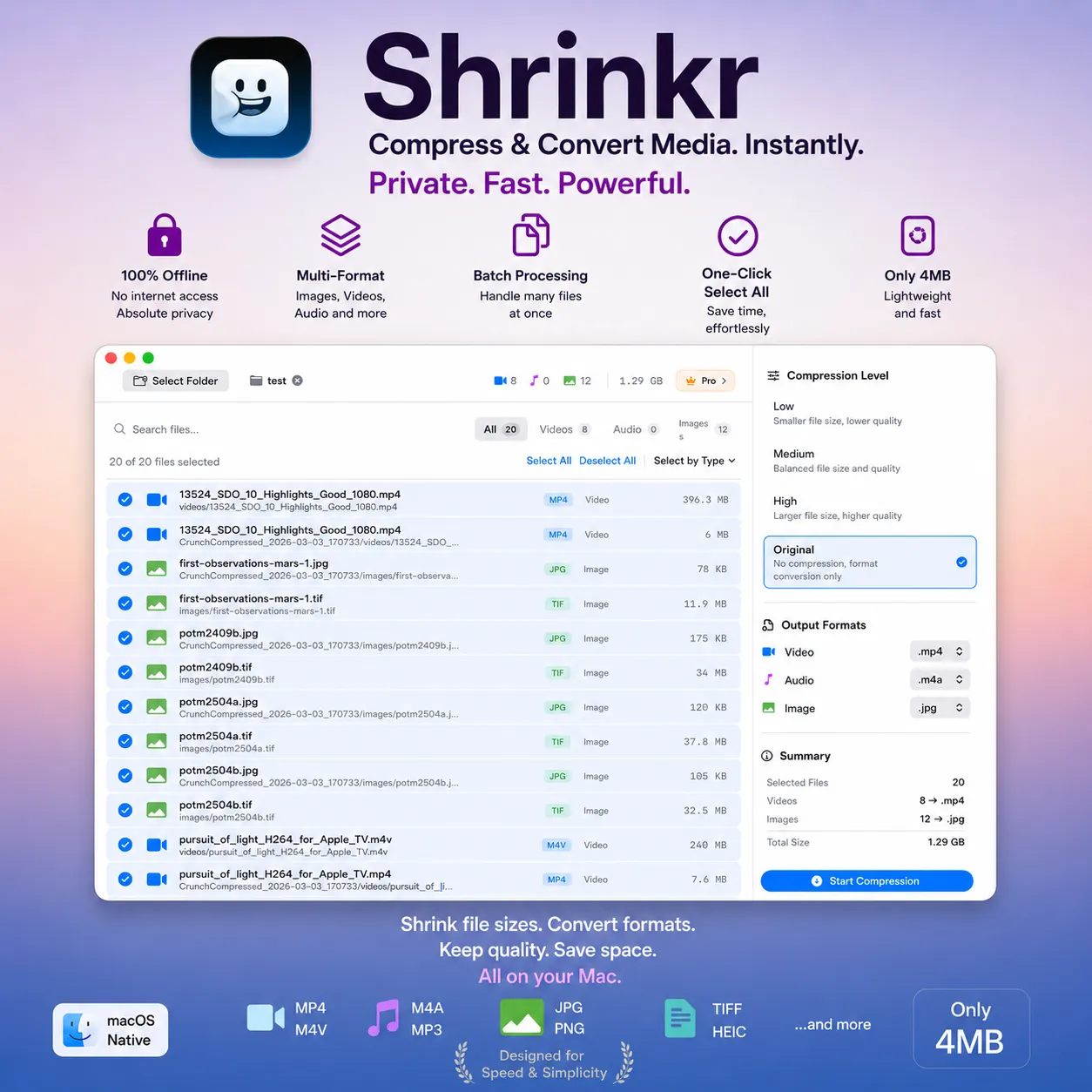
Compress images, videos, and audio at the quality level you want, or convert them between formats, in just a few clicks. Shrinkr is tuned for Apple Silicon, runs entirely on your Mac, and stays quick even on large folders. Slim down your media library and keep formats consistent without giving up quality.
Supported Formats
Compress at multiple quality levels or convert between formats for images, video, and audio, with codecs tuned for each type
Images
Video
Audio
App Screenshots
A closer look at compression, conversion, and batch workflows inside Shrinkr's clean interface
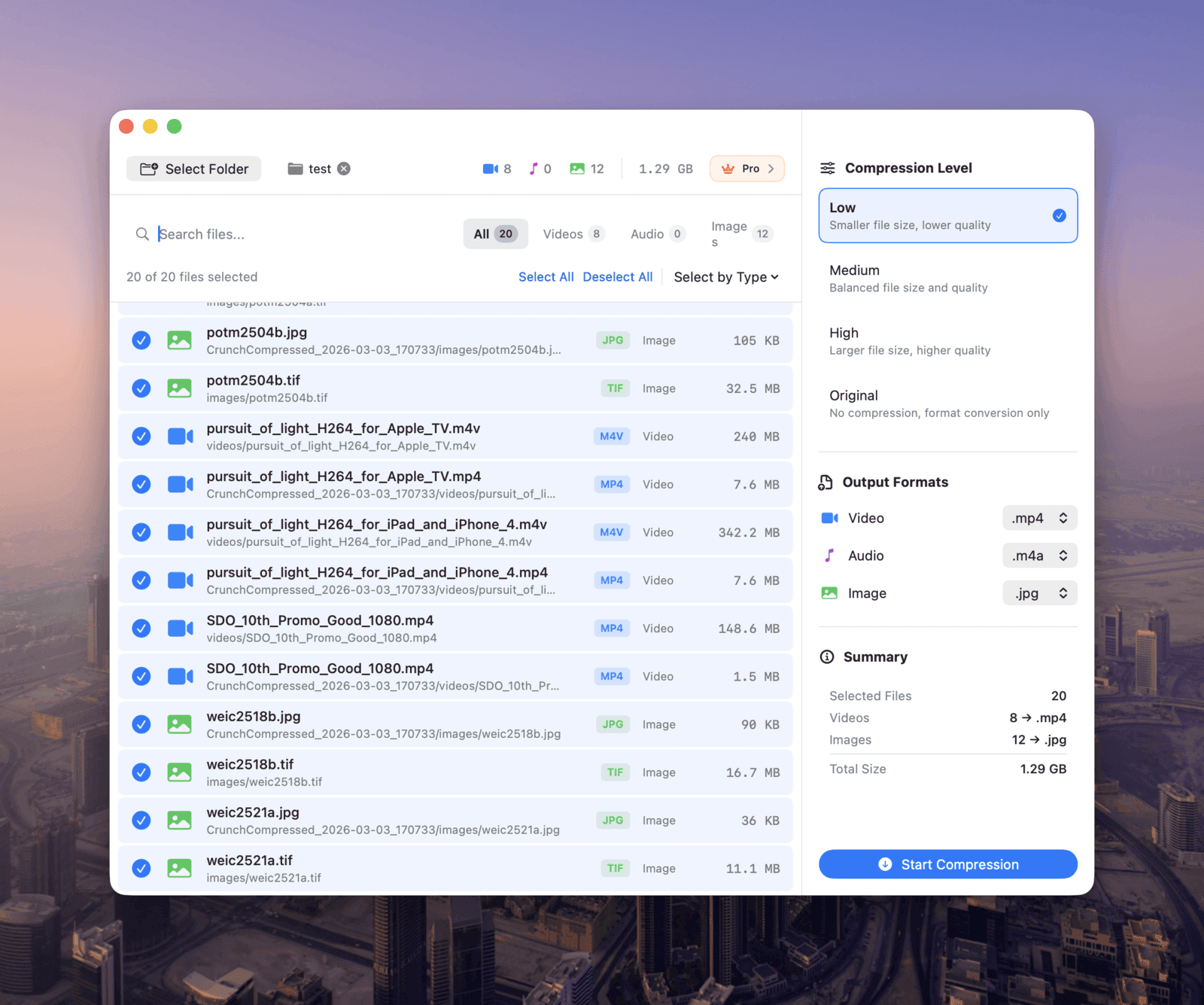
Home
Browse and select media files for compression or conversion
Powerful Features
Multi-quality compression, format conversion, and batch workflows. Everything you need to handle images, video, and audio on a Mac.
Smart File Management
Select folders via native macOS dialogs, recursively scan for media files, and manage your compression queue with ease. Sort by name, size, or type, and filter by media category.
Compression & Conversion
Pick a Low, Medium, or High preset for images, video, and audio, or convert between formats like WebP, MP4, and MP3. Fine-tune the output to strike the right balance of size, quality, and compatibility.
Blazingly Fast
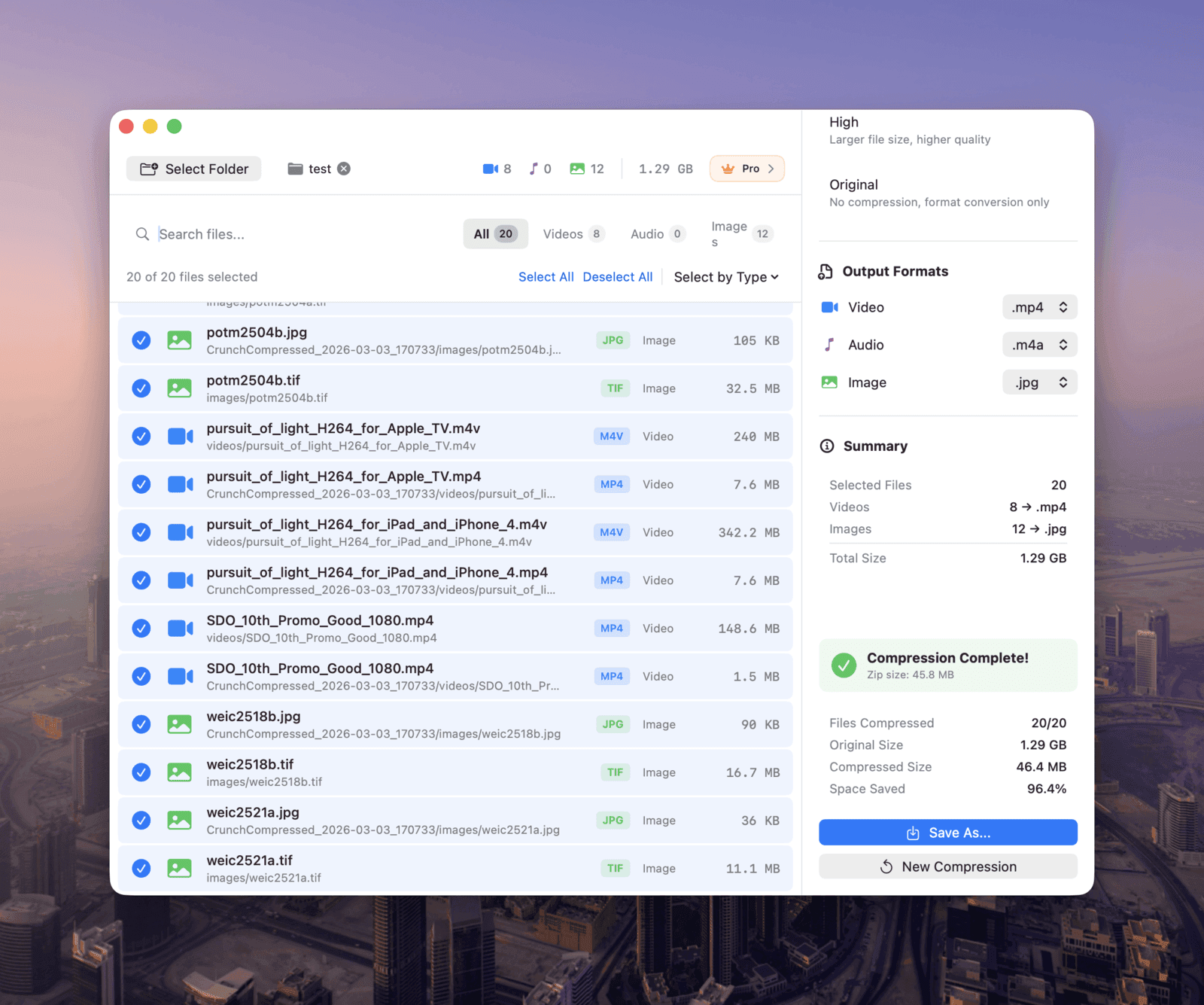
Apple Silicon handles compression with hardware acceleration. Process whole folders while keeping their directory structure intact, and get everything back in a tidy ZIP archive.
Privacy First
Compression and conversion both run locally on your Mac. Nothing gets uploaded to the cloud, nothing is collected, and your files never leave your device.
How It Works
Three simple steps to compress or convert your entire media library
Select Files
Choose a folder and Shrinkr will recursively find all media files. Select individually or batch select by type.
Configure
Choose a compression quality or a target output format, and tune the preset to balance size, quality, and compatibility.
Process
Hit start and let Shrinkr do the work locally. You get a ZIP archive of the compressed or converted files with your folder structure preserved.
Why Shrinkr?
Apple Silicon Native
Built specifically for M1, M2, and M3 chips, with hardware-accelerated video encoding for solid performance.
Complete Privacy
Your files never leave your Mac. No cloud processing, no uploads, and no tracking. Everything stays local.
Organized Output
Compressed or converted files come back in a tidy ZIP archive, with your original folder structure preserved.
Choose Your Plan
Start free and upgrade as your needs grow
Free
·Try It OutPerfect for occasional compression needs
Pro
·LifetimeOne-time purchase for creators, designers, and power users
* Prices shown here are approximate and can vary by region. For the actual price, please check the App Store.
Ready to Shrink & Convert Your Media?
Download Shrinkr today and reclaim your disk space. Compress at the quality level you want, or convert images, videos, and audio between formats, all without compromising on quality.
Download from Mac App StoreLegal & Support
By downloading and using Shrinkr, you agree to our Terms of Service and Privacy Policy.