Shrinkr vs CloudConvert
Why a native macOS app wins when your real goal is smaller media files, with format conversion when you need it, rather than generic file conversion in a browser.
CloudConvert is a capable online conversion platform. But if what you actually do is shrink photos, videos, and audio safely and quickly on a Mac, and convert between formats now and then, Shrinkr is the better fit. It's built around local media work, with less friction, more speed, and far better privacy.
100% local processing
Files stay on your Mac from start to finish. No uploads, no waiting on servers, and no wondering whether they were really deleted.
Built for Apple Silicon
Shrinkr pairs a native workflow with hardware acceleration, so processing feels immediate even on large media folders.
CloudConvert in one line
A broad cloud platform that converts a huge range of file types, across docs, ebooks, archives, audio, image, and video.
Where the two split
CloudConvert is at its best when you need one-off format conversion in the browser. Shrinkr pulls ahead when you're compressing and converting media on macOS again and again.
Where Shrinkr stands
Native, focused, and opinionated. It gives up generic breadth in exchange for a faster workflow around shrinking media, converting formats, and tidying up a library.
Head-to-Head
Focused local compression vs broad cloud conversion
Why Shrinkr Wins
The advantages that matter in real use
Privacy you don't have to take on faith
There are no deletion promises to trust and no remote infrastructure to rely on. Sensitive client assets, internal footage, and family media all stay on your machine.
Faster in practice
Skipping the upload and download often matters more than raw compute power. Shrinkr takes the network out of the critical path entirely.
Smarter folder scanning
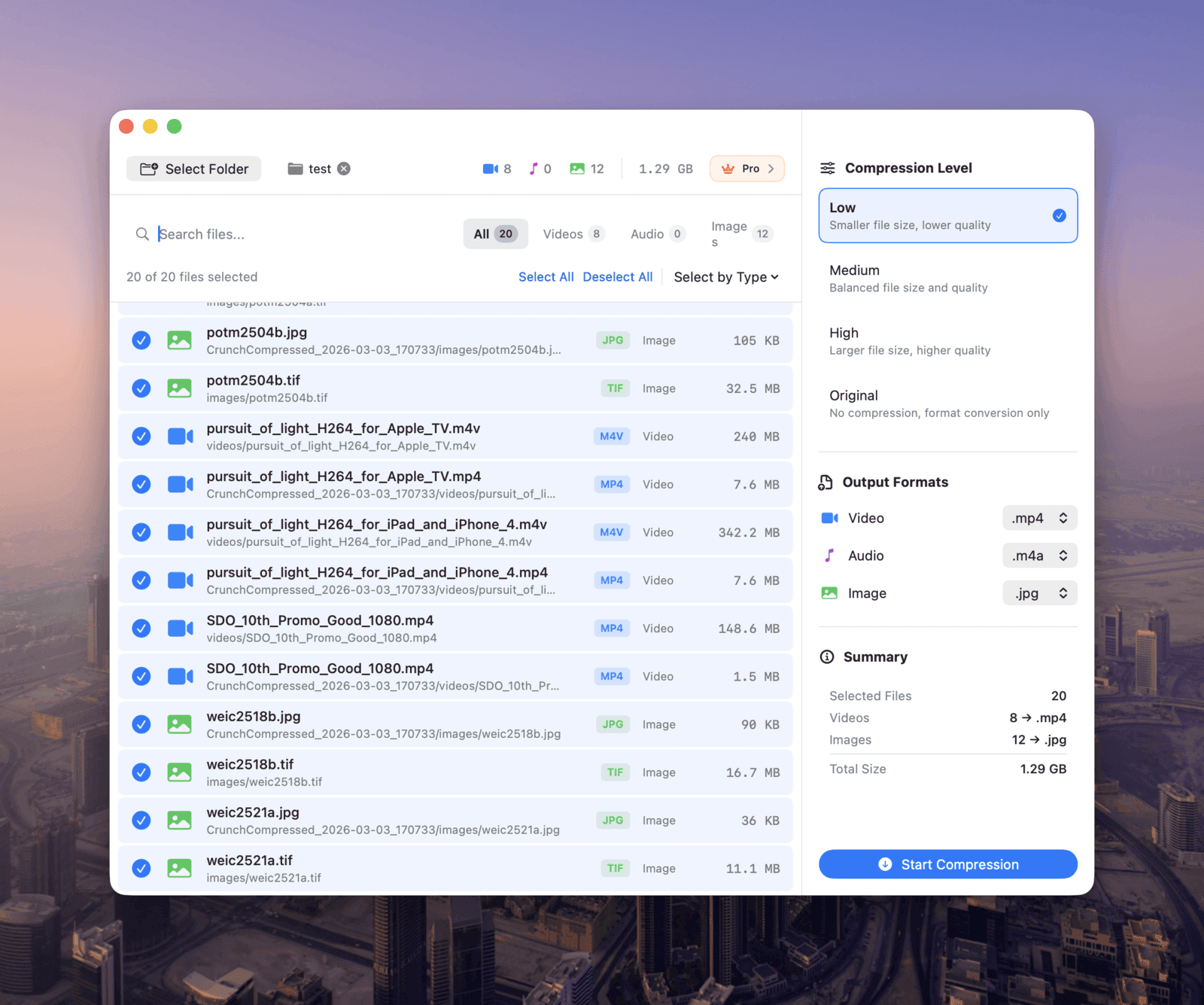
Point Shrinkr at a folder and it finds the media inside, recursively, so you're not rebuilding the same upload routine every single time.
Cleaner output for big jobs
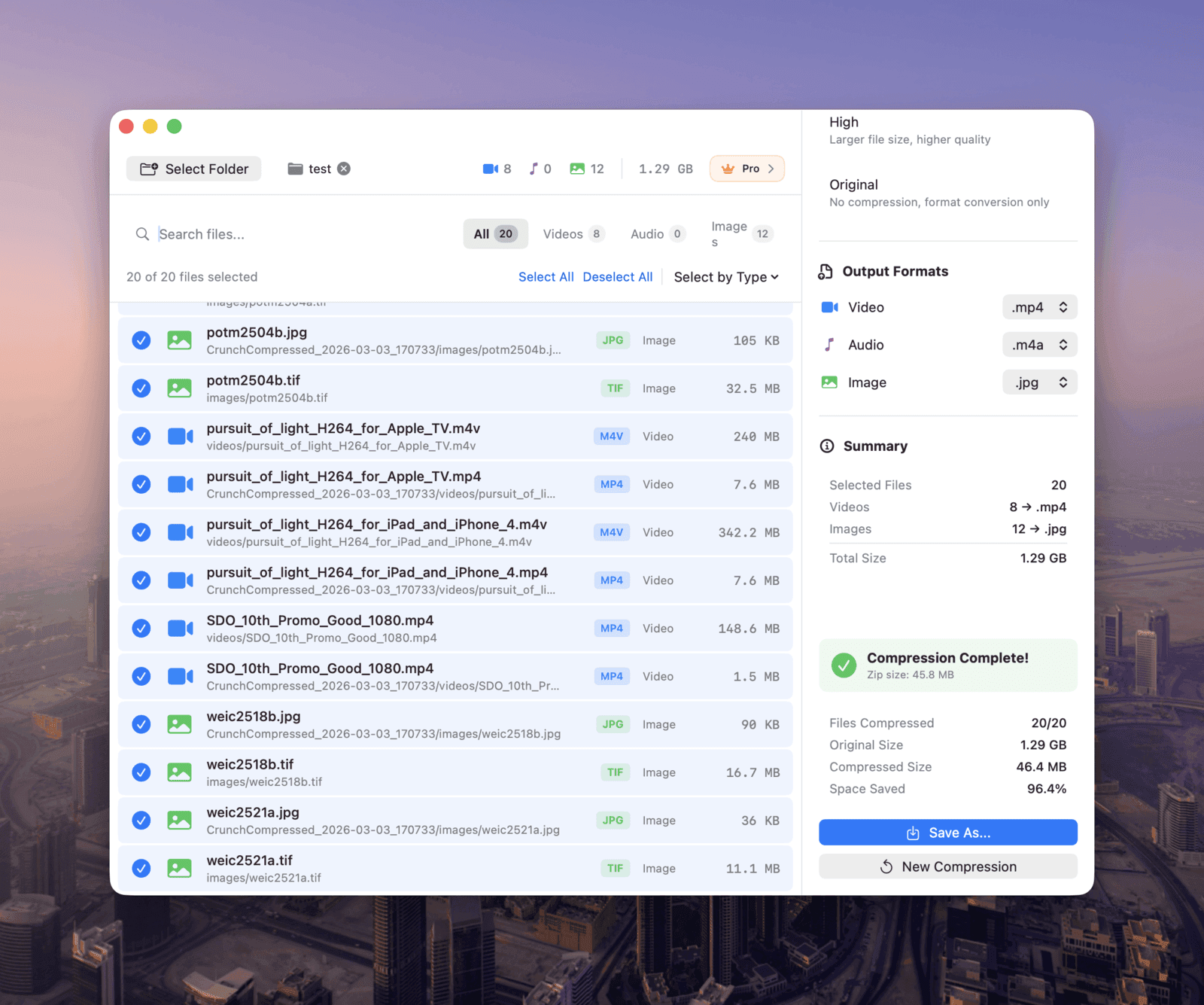
Batch processing and ZIP export keep your structure intact, which makes large cleanups far easier than wrangling a pile of downloaded browser files.
Best For
Who should choose Shrinkr
Photographers and designers
Compress deliverables, previews, and asset folders without sending client files to third-party servers.
Video creators and podcasters
Shrink large footage and audio folders locally before sharing, publishing, or archiving.
Everyday Mac users
Clean up screenshots, downloads, and media libraries with a simple native flow, instead of repeating browser uploads.
What It Feels Like
Compression and conversion that fit your Mac workflow
Open a folder, look over the files Shrinkr found, pick a quality preset or an output format, and run it. No tabs, no transfer time, no download management. That difference adds up every time you do it.
Conclusion
Pick CloudConvert for conversion breadth. Pick Shrinkr for local media work.
If you need hundreds of output formats in the browser, CloudConvert is a reasonable fit. If you want a faster, more private, more Mac-native way to shrink and convert images, videos, and audio, Shrinkr is the stronger choice.