Still Uploading Files to Cloud Compression Tools?
Privacy risks, hidden costs, and efficiency bottlenecks of online compression services — and a better alternative
Every day, millions of photos, videos, and audio files get uploaded to "free" online compression and conversion tools. Most people never stop to ask where those files go, who can see them, or whether they're really deleted.
Open your browser, search "compress image online," click the first result, upload your file, download the result. No install, free, fast. It sounds perfect. But what if that file is a client's product photo, an internal training video, an unreleased podcast episode, or a private family snapshot? Have you ever wondered what actually happens to it once it's sitting on that "cloud" server?
Your Files Are Exposed
Most online compression and conversion tools work the same way: you upload a file to their server, the server processes it, and you download the result. Think of the popular ones, like TinyPNG, iLoveIMG, Convertio, CloudConvert, Compressor.io, or Zamzar. This isn't to claim any of them actually misuse your files; many are run by reputable teams. The point is structural: for the whole time your file sits on their servers, they technically have the ability to read it, copy it, or hold on to it, and you're left simply trusting that they won't.
Transmission Can Be Intercepted
Not all services use end-to-end encryption. Your files may travel across the internet in plain text.
Servers Can Be Accessed
Even when a provider promises to "delete files right after processing," there's no way for you to check. Server admins, attackers, or third-party partners could all reach your data.
Data Breaches Are Routine
Breaches have become the norm rather than the exception in recent years. From major tech companies to small SaaS tools, no one is really immune.
A single photo's EXIF data can hold your GPS coordinates, device model, and timestamp. A video might contain trade secrets. An audio file could be a confidential meeting recording.
Would you hand all of this over to a server you know nothing about?
The Real Cost of "Free"
There's an old line in economics: if you're not paying for the product, you are the product. The business models behind a lot of free online compression and conversion tools are anything but transparent.
Data Harvesting and Profiling
What you upload, how often, and the characteristics of those files can all feed user profiles for targeted ads, or get sold straight to data brokers.
File Retention and Secondary Use
Some services tuck language like "we may retain uploaded content to improve service quality" deep into their privacy policies. Your files might end up training AI models, tuning algorithms, or being used in ways you never agreed to.
Malware and Phishing
A few lesser-known compression sites are really malware channels in disguise. The "compressed file" you download back could carry tracking code or a trojan.
Compliance Violations
If you're a designer, photographer, or company employee, sending client or company files to a third-party service can break an NDA, GDPR, or other data protection rules outright. And if something goes wrong, the liability lands on you.
The Network Bottleneck
Even if you set the security worries aside, cloud-based compression runs into a hard efficiency ceiling: the network itself.
- Uploading a 500MB video, even on a 100Mbps connection, takes at least 40 seconds. Then you have to download the processed result all over again.
- A shaky connection, a server queue, a browser crash. If any step breaks, you're back to square one.
- Batch processing? Most online tools cap how many files and how large they can be. Need to compress 100 images? Get ready to do them one at a time.
Your time is worth more than a progress bar.
There's a Better Way
What if you could get professional-grade results, and your files never had to leave your computer in the first place?
Shrinkr: 100% Local Compression and Conversion
Shrinkr is a native media app built specifically for macOS. The idea behind it is simple:
Your files belong to you. Compressing or converting them shouldn't require anyone else's server.
Privacy First, Zero Uploads
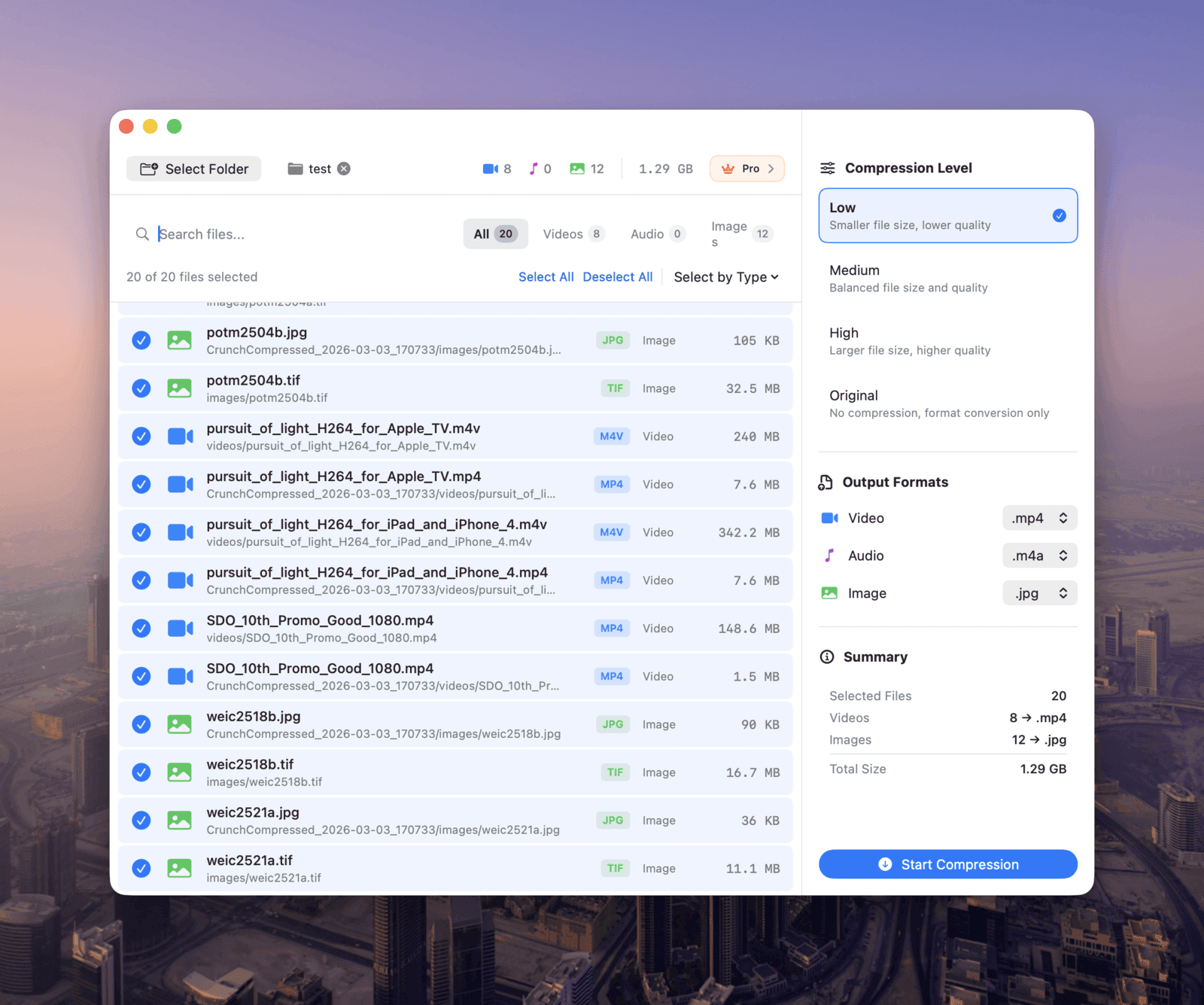
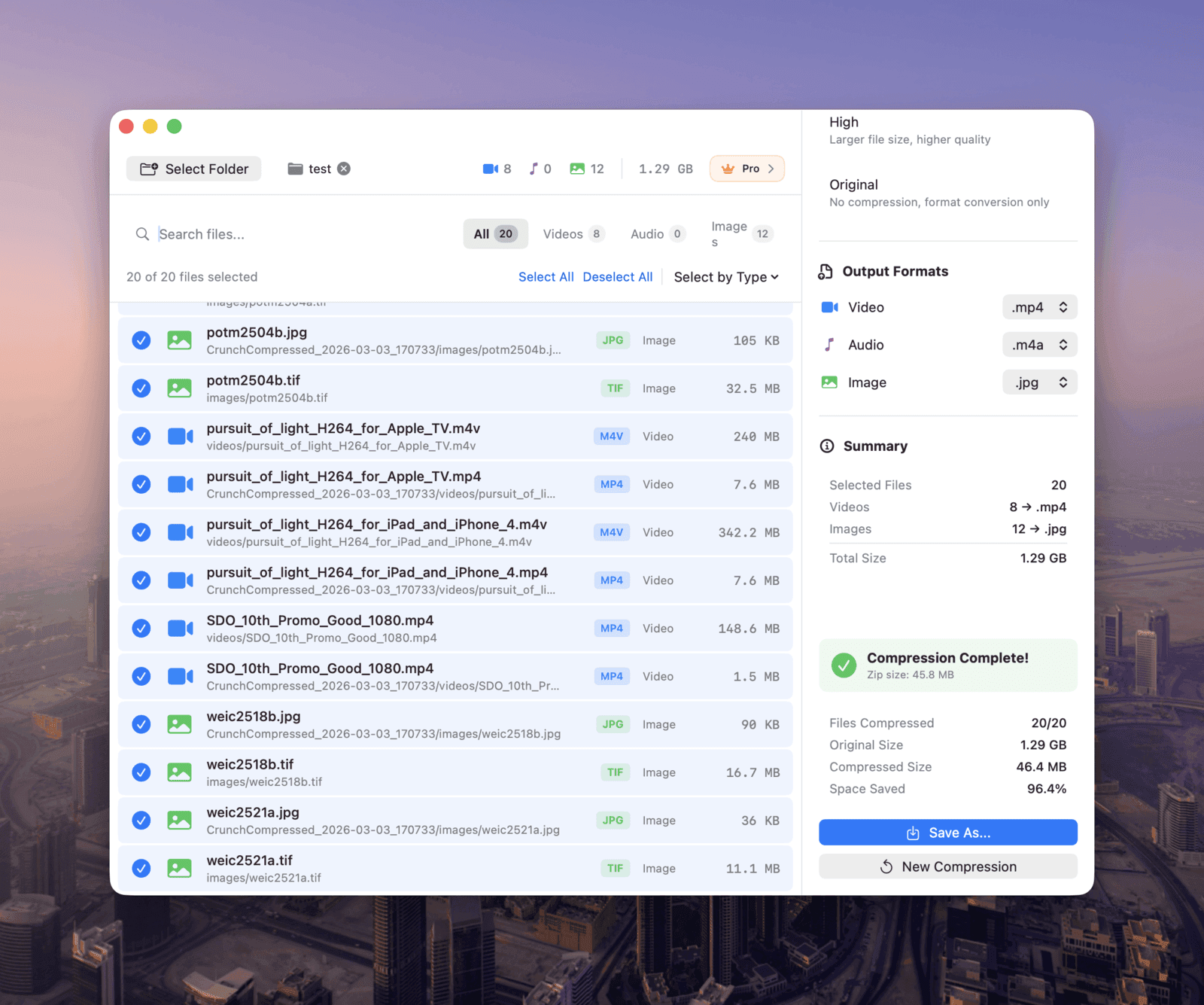
Everything happens locally on your Mac. No cloud, no uploads, no servers. Your photos, videos, and audio never live anywhere but your own drive. There's no breach to worry about, because your data never leaves your device.
Apple Silicon Acceleration
Shrinkr is tuned for Apple's M-series chips and taps their hardware encoding and decoding, so it works at speeds browser-based tools just can't reach. Local processing plus chip acceleration is a different league.
Compress and Convert, Every Format Covered
Shrinkr doesn't just shrink files, it converts between formats too. Turn HEIC into JPG, MOV into MP4, WAV into MP3, and so on. Whether you're a designer handling product shots, a creator compressing footage, or a podcaster cleaning up audio, it has you covered.
Batch Processing, One Click
Point Shrinkr at a folder and it scans every media file inside, recursively. Filter by type, sort by name or size, select all, and go. The output is a ZIP archive that keeps your original directory structure. 100 files or 1,000, it's the same flow.
Supported Formats
WebP, JPG, PNG, HEIC
MP4, WebM, MOV, H.265
MP3, AAC, WAV, FLAC
Three Simple Steps
Select
Open a folder and Shrinkr finds all your media files automatically
Configure
Pick a quality level (Low, Medium, or High) and an output format
Run
Hit start and let Shrinkr do the rest
Simple, Transparent Pricing
Free
$0
10 files per day, all formats supported
Pro
$3.99 (one-time)
Unlimited files, no size limits, batch processing
No subscriptions and no hidden fees. Pay once, use it forever.
Cloud vs Local: At a Glance
| Feature | Cloud Compression | Shrinkr (Local) |
|---|---|---|
| Privacy | Files uploaded to third-party servers | Files never leave your device |
| Network | Requires internet, limited by bandwidth | Works completely offline |
| Speed | Limited by upload/download speeds | Apple Silicon hardware acceleration |
| Batch Processing | Usually limited by count and file size | Unlimited with Pro |
| Cost | "Free," but you pay with your data | Free tier available, Pro is one-time purchase |
| Compliance | May violate GDPR / NDAs | Fully compliant, zero data leaves device |
| Format Support | Usually images only | Images + video + audio covered |
Final Thoughts
We live in a convenience-first age. Too often we hand our most private files to the least trustworthy third parties, all to save a couple of minutes.
Compressing one image sounds trivial. But stretch that habit across days, weeks, and years, and the number of files you've uploaded to unknown servers can be genuinely surprising. Some of them are always ones you'd rather no one else ever saw.
Privacy isn't paranoia. It's a basic right.
Shrinkr doesn't collect your data, doesn't read what's inside your files, and doesn't upload anything to a remote server. It does one job well: compress and convert your files on your Mac, quickly.
If you think your files should stay on your own device, give Shrinkr a try. The free version covers all the core features, and Pro costs about as much as a coffee, with no recurring fees.
Shrinkr is developed by , code-signed and notarized by Apple. You can download it safely from the Mac App Store.